
Free itinerary templates for travel professionals: Docs, Sheets, Canva, PDF and when to move on
Word, Google Sheets, Canva, PDF packs, slide decks and free itinerary apps — what each free template option is good at, where it breaks for a working agency, and a rule of thumb for when to move to itinerary software.
Key takeaways
- Every free template is a layout, not a system: the price, the bookings and the latest version still live somewhere else.
- Docs and Word are fastest to start, Sheets is best for numbers, Canva looks best, and consumer itinerary apps are built for travellers rather than agencies.
- Templates break on revisions, group-size changes, version control and phone reading — not on the first itinerary you send.
- If you stay with a template, keep one master file, one source for prices and one naming rule, and check every send on a phone.
- Move to itinerary software when re-typing and re-checking cost you more time each month than learning a new tool would.
Search for a free itinerary template and you will find thousands: Word documents, Google Sheets, Canva designs, printable PDF packs. Almost all of them are made for people planning their own holiday. A travel agency, tour operator or DMC needs something different — a document that sells a trip, carries a price that is right, and survives three rounds of changes without anyone sending the wrong version.
This guide compares the free options honestly from that point of view: what each one is genuinely good at, where it breaks once you are quoting every week, how to make a template work if you stay with one, and when it is time to move to itinerary software. For what should go inside the itinerary, see our client itinerary template anatomy — this guide is about the tool you build it in.
What “free itinerary template” really covers
When travel professionals ask for the best free online itinerary templates, they usually mean one of six things. They are not interchangeable — each is built for a different job:
- Word processor templates — Microsoft Word or Google Docs files with a cover, a day-by-day layout and a few placeholder photos.
- Spreadsheet templates — Google Sheets or Excel grids with one row per day or per service, often with a cost column.
- Design-tool templates — Canva (and similar) layouts with strong typography and imagery, exported as PDF or shared as a link.
- Printable PDF packs — downloadable, sometimes fillable, PDFs from template sites and marketplaces.
- Slide decks — Google Slides, PowerPoint or Keynote, one day or one hotel per slide.
- Free tiers of itinerary apps — consumer trip planners that are free to start, and professional itinerary tools that offer a trial or demo before a subscription.
“Free” also has a cost line of its own: the time you spend re-typing, re-pricing and re-checking. Keep that in mind as you read the comparison — it is the number that decides when a free template stops being free.
The free options, one by one
Word and Google Docs
Both have itinerary templates in their built-in galleries (in Word via File → New, in Google Docs via the template gallery), and independent publishers offer more. Everyone on your team already knows how to use them, and a document reads naturally — paragraphs, headings, a photo per day.
Good at: writing. Descriptions, inclusions and important information flow well, and Google Docs lets two people edit at once. Google Workspace organisations can also publish their own master file to an internal template gallery, if an administrator enables it, so nobody starts from an old trip.
Breaks on: numbers. Prices are typed in by hand, so they are only as right as the last person who changed them. Layouts shift when photos are added, and a long document is awkward to read on a phone.
Google Sheets and Excel
The working tool of many small operators. A day-by-day grid on one tab, a costing on another, and formulas that add it all up.
Good at: the maths. Per-person and flat costs, a markup column, totals that recalculate. If you are going to use one free tool for pricing, this is it.
Breaks on: presentation and fragility. A spreadsheet is not something you want a client to read, so the trip usually gets copied into a document anyway — which is where the two versions start to disagree. Formulas get overwritten, and a pasted row lands outside the total. Our guide to spreadsheets vs tour operator software goes deeper on this.
Canva and other design tools
Canva has a large library of itinerary and travel-planner designs, and many third-party sellers build templates for it. The results look polished, and the free plan is enough to start.
Good at: making a proposal look designed. Covers, photo spreads and hotel pages that would take hours in Word.
Breaks on:volume and branding. As of October 2026 Canva’s free plan limits its brand kit (uploading your own fonts, for example, is a paid feature) and some templates and elements are premium, so free designs drift away from your brand unless someone polices them. Every change is a manual edit to a design, and dense practical information — times, addresses, inclusions — is harder to keep tidy in a visual layout. Check Canva’s current plan comparison before you standardise on it.
Printable PDF packs
Template sites and marketplaces offer itinerary PDFs, some fillable. Many are free; others are cheap one-off purchases.
Good at: printing, and a fixed format the client cannot accidentally edit.
Breaks on: editing and licensing. A fillable PDF gives you fixed boxes that rarely fit a real day, and most packs are designed for personal trips. Read the licence: some free templates are explicitly for private use only, not for business distribution — which is exactly what sending one to a paying client is.
Slide decks
Google Slides, PowerPoint or Keynote, one day or one hotel per slide. Some designers like them for presenting a trip on a video call.
Good at: big images and walking a client through the trip live.
Breaks on: everything after the call. Decks are poor at practical detail, export to large PDFs and read badly on a phone in landscape-shaped slides.
Free tiers of itinerary apps
Consumer trip planners such as Wanderlog and TripIt are free to start, with paid upgrades that unlock extras such as offline access or more document storage. They are built for travellers organising their own trips — maps, saved places, forwarded booking emails — not for an agency selling a priced, branded trip to a client. Professional itinerary tools usually work the other way round: a subscription, often per user, with a free trial or a guided demo first. Whatever tool you look at, check the current pricing page rather than a review site, which can lag behind.
Free itinerary templates compared
Here is how the options stack up for a business that sends proposals every week, rather than one person planning one holiday.
| Option | Best at | Prices | Branding | On a phone | Revisions |
|---|---|---|---|---|---|
| Word / Google Docs | Writing the trip | Typed by hand | Good if one master is kept | Readable, long scroll | New file or tracked edits |
| Google Sheets / Excel | Costing and totals | Calculated | Weak — not client-facing | Poor | Formulas easy to break |
| Canva | Looking designed | Typed by hand | Strong, but free plan limits brand kit | PDF zoom, or a shared web link | Manual edit per change |
| PDF packs | Printing | Typed by hand | Template’s look, not yours | Pinch and zoom | Re-export every time |
| Slide decks | Presenting live | Typed by hand | Good | Poor | Manual edit per change |
| Consumer itinerary apps | A traveller’s own planning | Not designed for selling | Little or none | Good (app) | Fine for one traveller |
Notice the pattern: the tools that handle prices well cannot present a trip, and the tools that present well cannot price it. That gap is why most agencies end up running two of them side by side — and why the mistakes happen in the copying between the two.
Where templates break for a working agency
None of these problems show up on the first itinerary. They show up on the twentieth, or on the third revision of one trip.
The price lives somewhere else
The costing is in a spreadsheet, the proposal is in a document, and the number in the proposal was typed across. Change a hotel and you have to remember to update both. When a client accepts a price that no longer matches your costs, you find out after the supplier invoices arrive.
version-7-FINAL.pdf
Every revision is a new file. The client has three PDFs in their inbox, your colleague edited version 5, and the client is quoting the price from version 4. Nobody is sure which one is live.
Group size changes
Party size moves per-person prices in ways a typed template cannot follow. Flat costs — a coach, a private guide — get divided by fewer people.
Two travellers drop out
A private coach (€1,200) and a guide (€600) are flat costs for the whole group: €1,800 in total. For 8 travellers that is 1,800 ÷ 8 = €225 per person. When the group becomes 6, it is 1,800 ÷ 6 = €300 per person — €75 more each, before your markup. A template where someone types the new party size into the cover page but forgets the price table quietly under-quotes by €450 on those two lines alone (€75 × 6).
You can sanity-check numbers like these in the free tour price calculator, which handles per-person and flat items together.
No tracking
You send a PDF and hear nothing. You do not know whether the client opened it, read it, or forwarded it to the rest of the family. Your follow-up is a guess.
Re-typing from trip to trip
The same hotel description, the same guided walk, the same transfer note — copied from an old file every time, along with the old meeting time and the lunch this client is not getting.
Branding drift
Three people, three templates. One uses last year’s logo, one changed the fonts, one started from a free design that looks nothing like your website. Clients notice inconsistency more than you would expect.
Mobile reading
Clients increasingly open itineraries on their phones, especially on the road. Wide tables, A4 PDFs and landscape slides that look fine on your monitor become a pinch-and-zoom exercise in a hotel lobby.
The minimum fields every itinerary template must have
Whatever tool you pick, a template for client work should not leave any of these blank. Build them into the master file once so nobody has to remember them:
- Your logo, company name, phone and email on the first page
- Client name, trip title and travel dates
- Number of travellers and room configuration the price is based on
- Day number, date and place for every day
- Overnight accommodation for every night, with board basis
- Every transfer: mode, approximate duration, private or shared
- Included and not-included lists
- Total or per-person price, currency and what it is based on
- Deposit, balance due date and how to pay
- Quote validity and a link to your booking conditions
- Document, visa and insurance guidance pointing to official sources
- A version number or ‘last updated’ date
- An emergency contact on the final travel version
The full section-by-section breakdown, with a copyable day format, is in the client itinerary template guide, and the process behind it in how to create a travel itinerary for clients.
If you stay with a template: making it work
Templates are a perfectly reasonable choice for a new business or a low volume of bespoke trips. These habits remove most of the risk:
- One master, locked.Keep a single master file in a shared folder (or your organisation’s template gallery) and always start from it, never from the last trip you sent.
- One source for prices. Cost and price the trip in one spreadsheet, and copy only the final figures into the proposal, in one place — a single price block, not prices scattered through the days.
- One naming rule. For example
2026-05-Smith-Portugal-v3. Put the same version number on the document itself, so client and colleague can tell you which one they are looking at. - A reusable text library. Keep hotel and excursion descriptions in one file, written generally. Put times, meeting points and inclusions in the structured lines of each day where they are easy to check.
- Check the licence. Use templates you made, or ones whose licence allows commercial use.
- Phone test before every send. Open the exported file on a phone. If you have to zoom to read the price, so will the client.
When to move from templates to itinerary software
There is no magic number, but this rule of thumb works for most agencies and operators: move when two or more of these are true most months.
- You send more than a handful of new proposals a week.
- Most trips go through two or more rounds of changes.
- More than one person builds or edits itineraries.
- You have sent, or nearly sent, a price that did not match your costing.
- You keep re-typing the same hotels, tours and transfers from old files.
- You chase clients without knowing whether they opened the proposal.
Templates
- Free to start, paid for in time on every quote
- Price typed in from a separate costing
- A new file for every revision
- Design depends on who made the copy
- No idea whether the client opened it
Itinerary software
- A subscription, usually per user
- Price calculated from the services in the trip
- One live version at the same link
- The same branded designs every time
- Opens visible; client can respond from the page
On cost: itinerary platforms typically charge a monthly or yearly subscription per user, sometimes with a free trial. Deer Track, for example, starts at $39 per seat per month billed yearly ($49 monthly) and begins with a guided demo rather than a self-serve trial. Compare that with the hours a month your team spends re-typing and re-checking, not with zero.
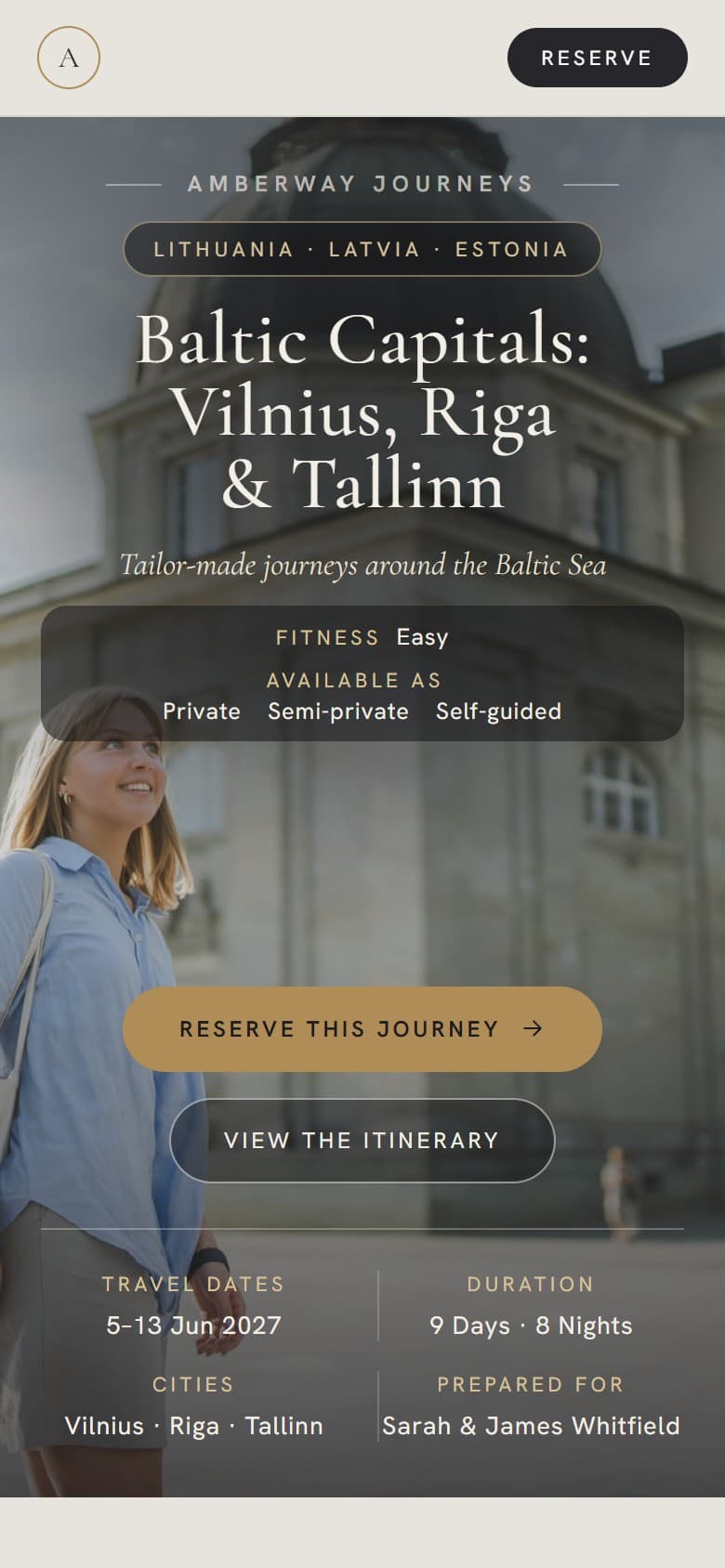
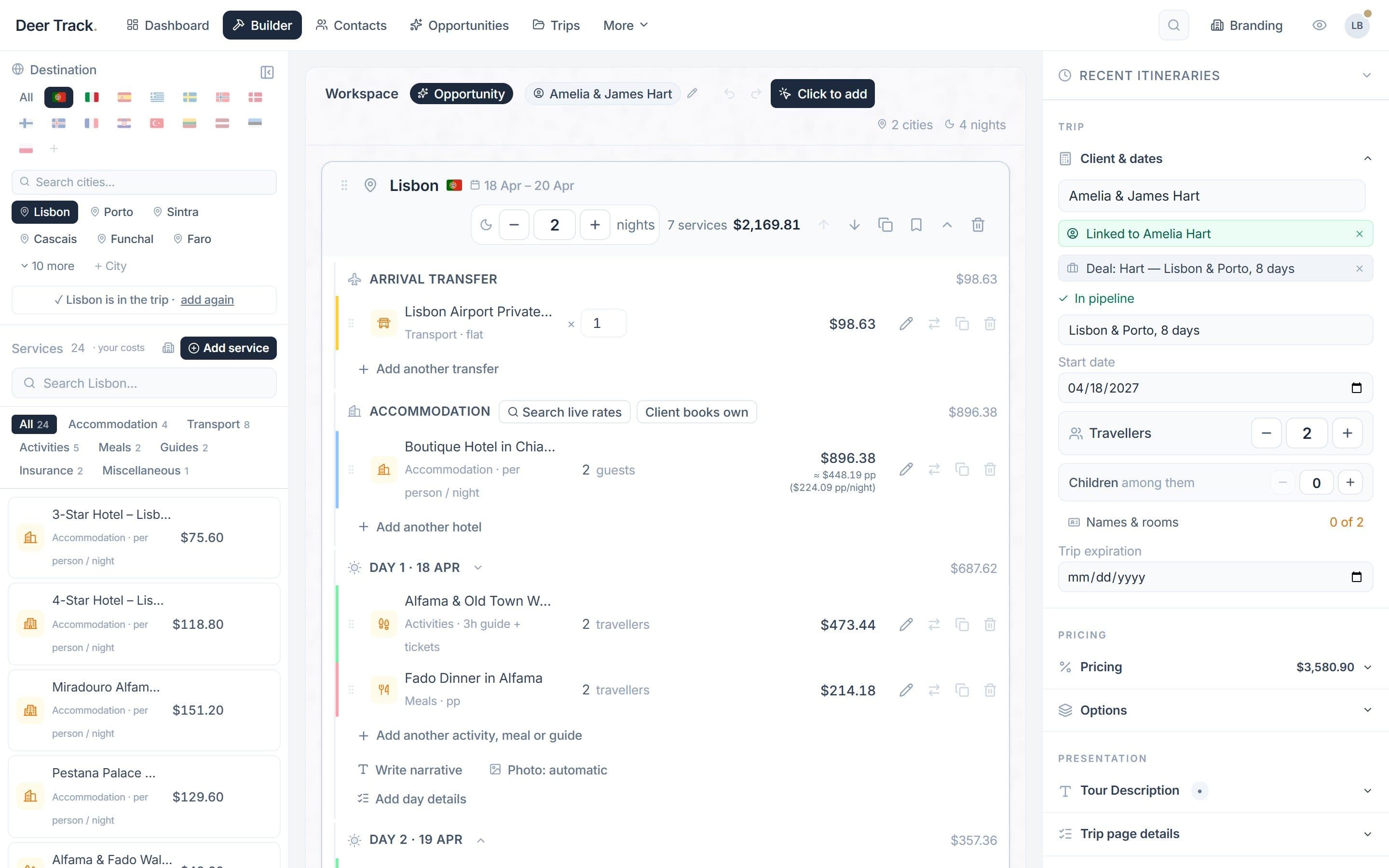
To see what a finished client itinerary looks like before you decide, browse the sample itineraries — five real trips built this way.

Frequently asked questions
What are the best free itinerary templates for travel agents?
It depends on the job: Word or Google Docs templates are best for writing the trip, Google Sheets or Excel for costing it, and Canva for a designed look. Most agencies end up combining a spreadsheet for prices with a document or design for the client.
Can I use a free itinerary template for paying clients?
Only if its licence allows commercial use. Some free templates are licensed for private use only, so read the terms, or build your own master template from scratch.
Is Canva good for travel itineraries?
Canva is good for making a proposal look designed, and its free plan is enough to start. Its free plan limits brand kit features, prices are typed by hand, and every revision is a manual edit, which gets slow at higher volumes.
How do free itinerary templates compare with paid itinerary software on price?
Templates cost nothing to download but cost time on every quote and revision. Itinerary software is usually a monthly or yearly subscription per user; the fair comparison is that fee against the hours your team spends re-typing and re-checking each month.
When should a travel agency stop using itinerary templates?
A useful rule of thumb is to switch when two or more of these are regular: several new proposals a week, trips with two or more rounds of changes, more than one person editing itineraries, and prices that have drifted from the costing.