
The booking workflow (Logistics)
Logisticsis where a confirmed trip becomes actual bookings. It’s built for whoever does the booking — the Logistics and manager roles live here.
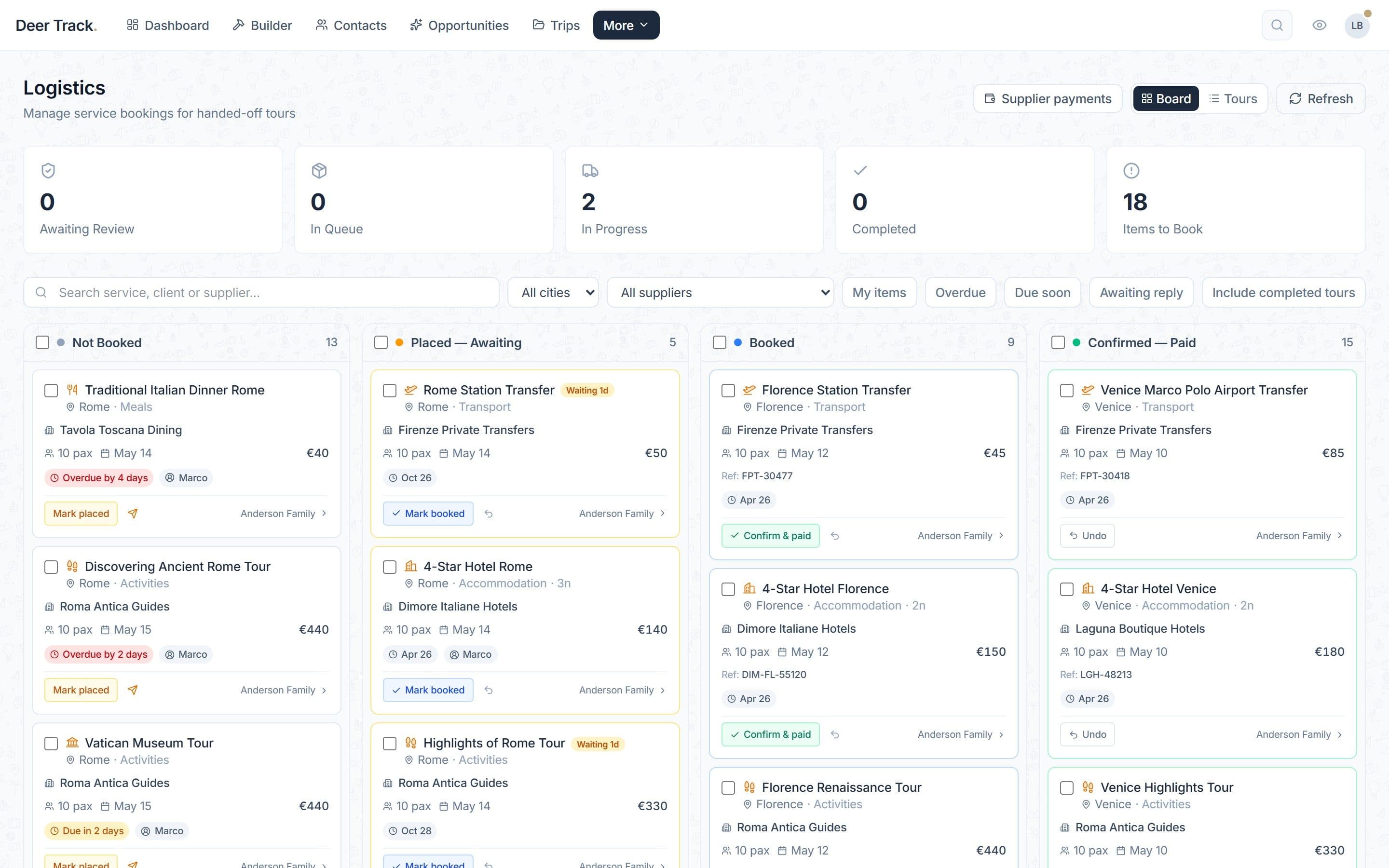
01Every supplier booking on one board
Not Booked → Placed — Awaiting → Booked → Confirmed — Paid, across every trip handed to your operations team.
- Every supplier booking on one board: Not Booked → Placed — Awaiting → Booked → Confirmed — Paid, across every trip handed to your operations team.
- Find what needs chasing: Filter by city or supplier, or show only your items, overdue lines, lines due soon and requests awaiting a reply.
- Due dates that can't hide: Each line shows the supplier, travellers, date, price and who owns it — and turns red when it's overdue.
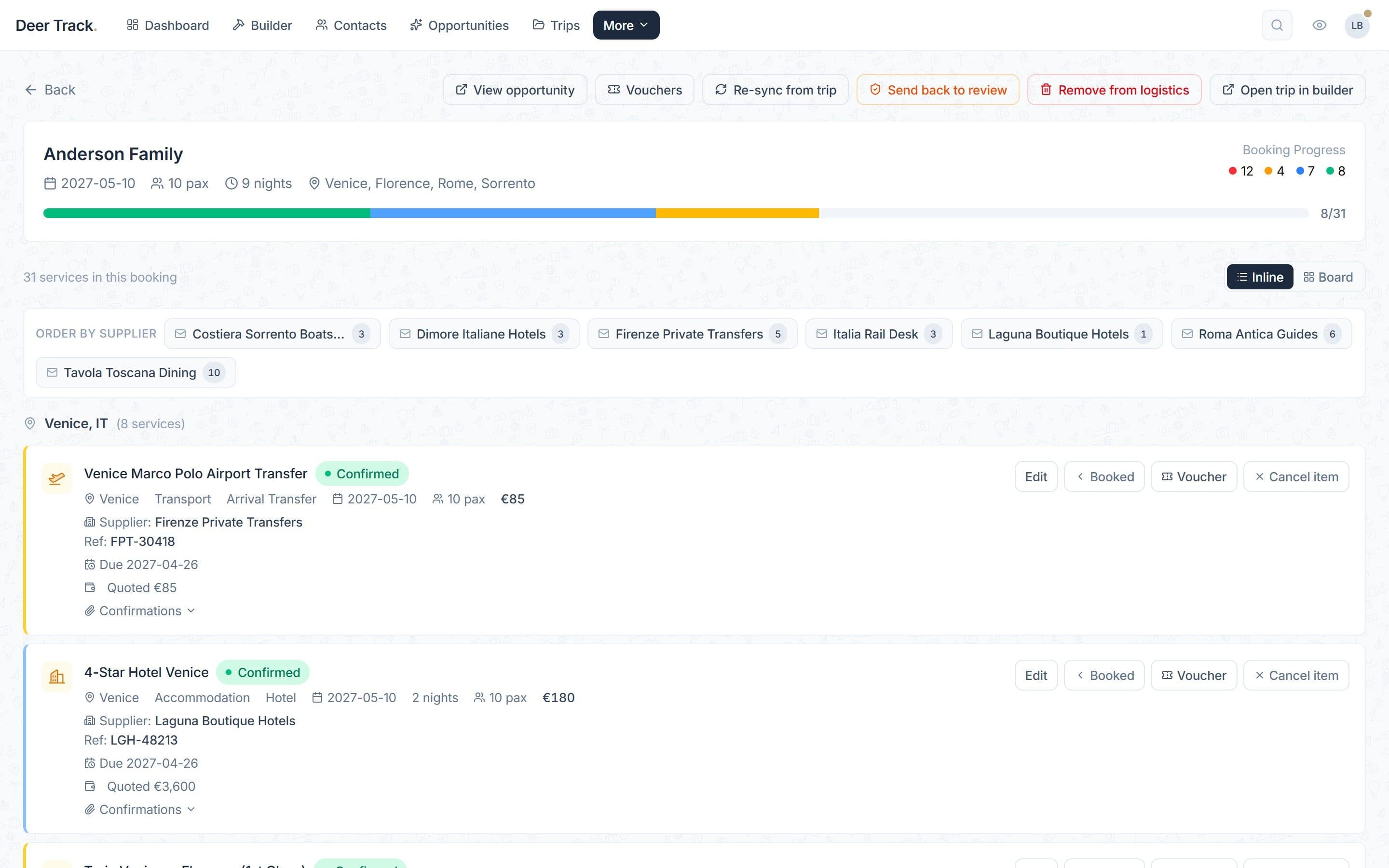
- One booking file per trip: Progress, services grouped by city or ordered by supplier, vouchers, and the way back to the deal.
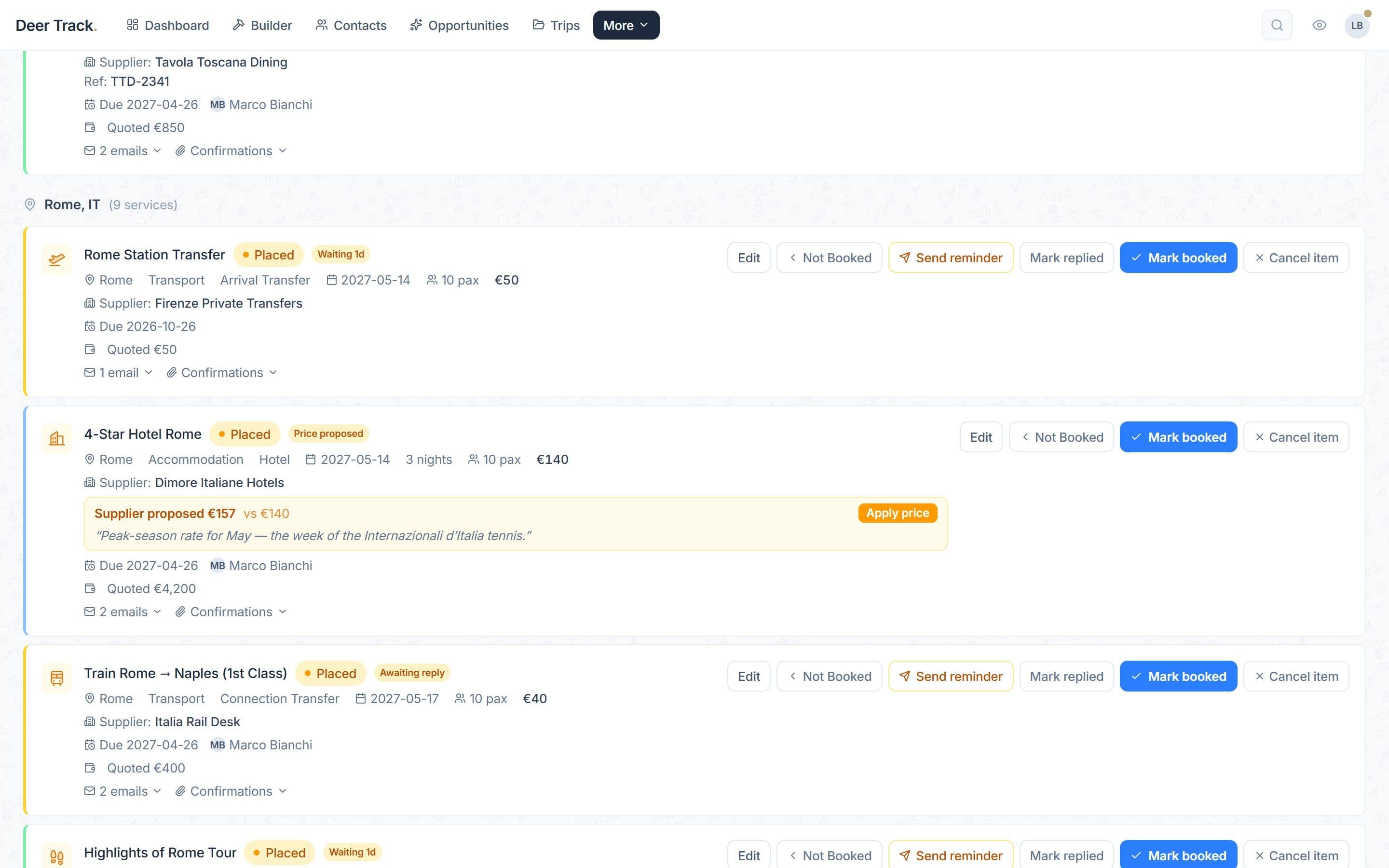
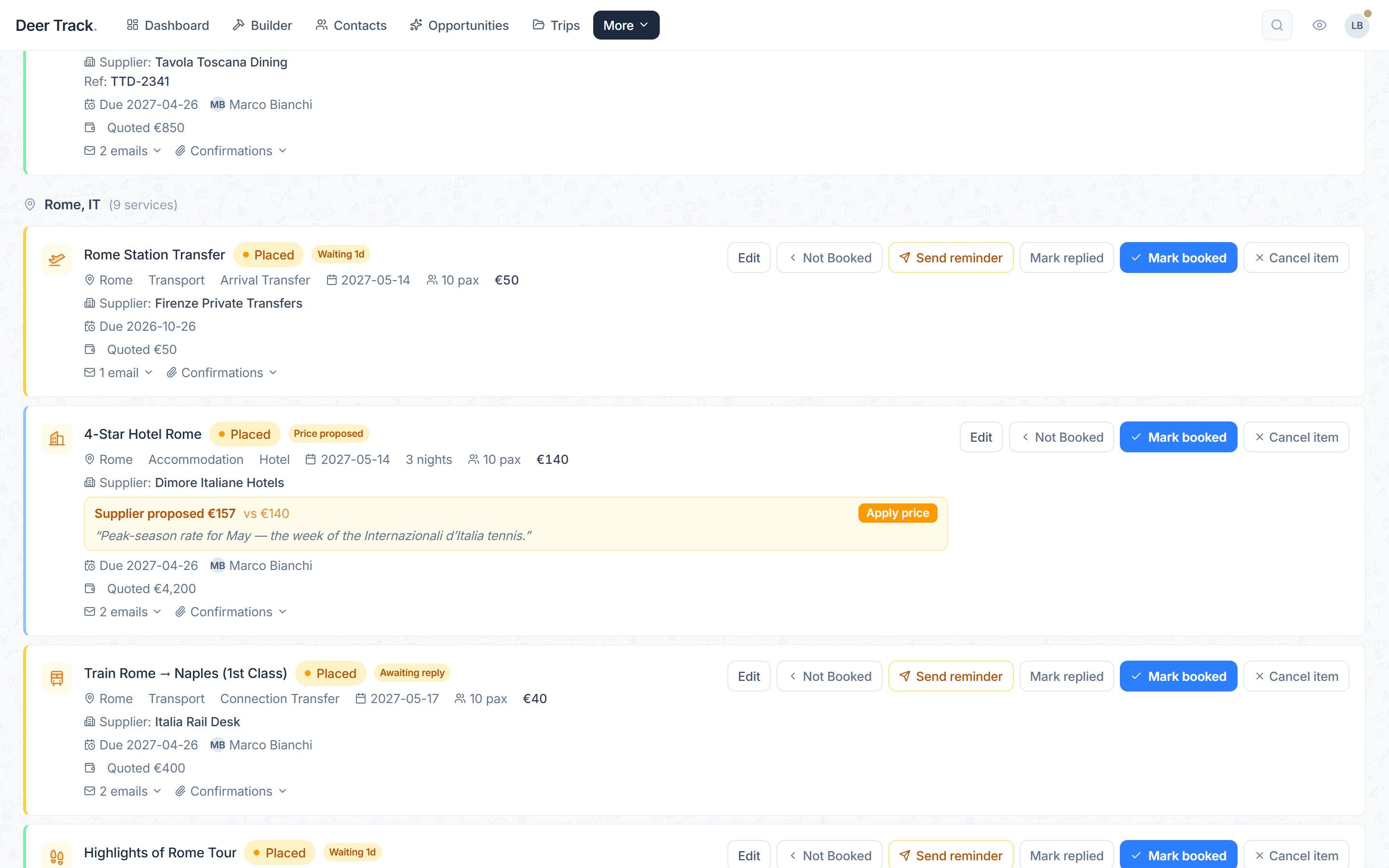
- Suppliers answer on their own page: They confirm, propose a different price or decline. A new price is shown for you to apply — it never changes the client's price by itself.
- One click per step: Send reminder, Mark replied, Mark booked — each step is logged with who did it and when.
Hand the trip off
When a deal moves to Booked, Deer Track offers to Send to Logistics— that sends the deal’s main trip. Other trips on the deal have their own Send to logistics button on the deal page.
Accept the handoff
The trip arrives as Awaiting your review. Someone in logistics checks it was built correctly and clicks Accept — or Reject with a reason, which sends it back to the salesperson (it shows on their deal as Rejected by logistics). An accepted trip can be sent back later with Send back to review.
Work the board
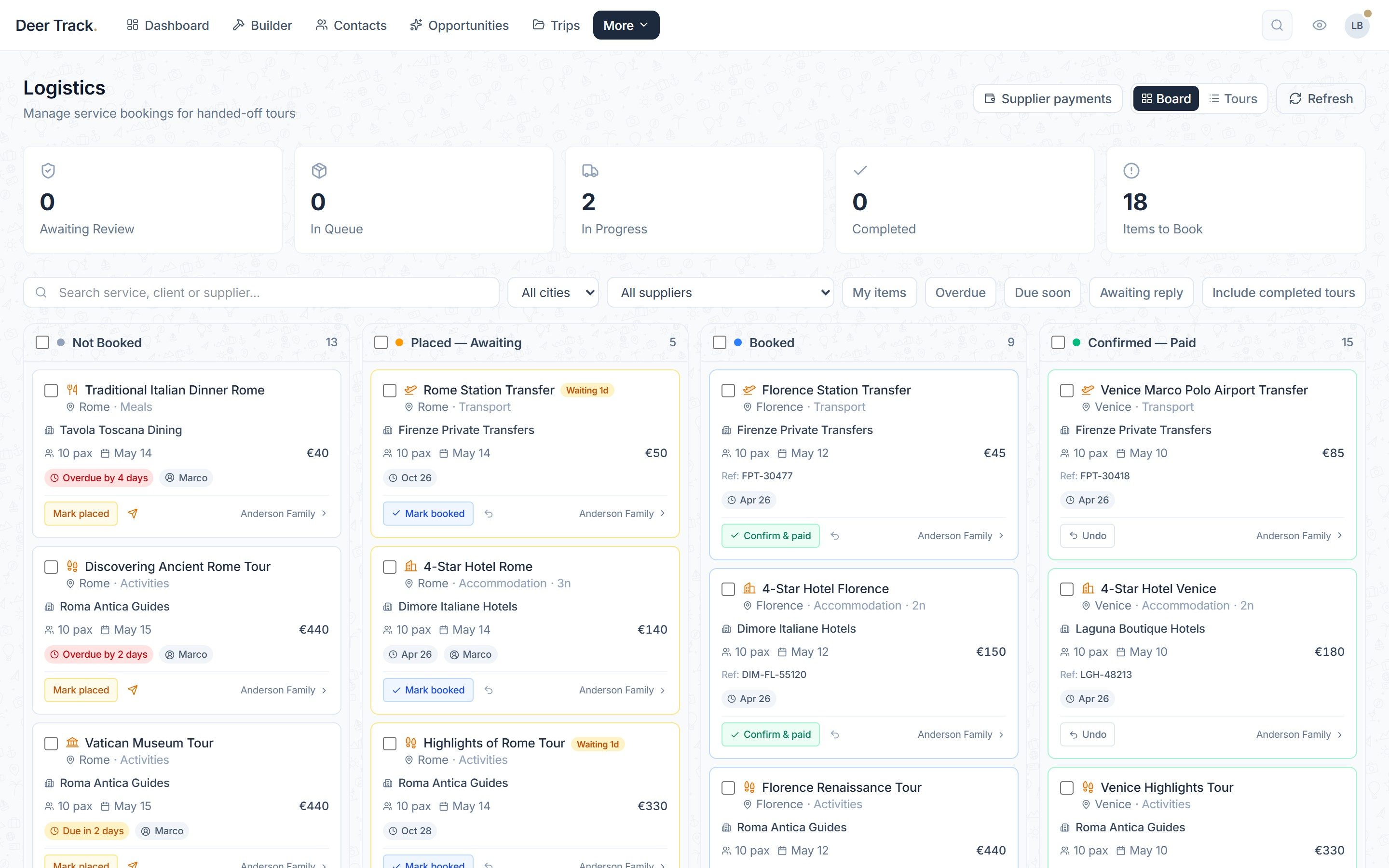
Every service in the trip becomes a card that moves through four columns: Not Booked → Placed — Awaiting → Booked → Confirmed — Paid. Each card shows the supplier, travellers, date, price, due date and who owns it, and turns red when it’s overdue. The buttons follow the work: Send Email (the booking request), Mark placed, Send reminder, Mark replied, Mark booked and Confirm & Paid, with an undo to step back. Confirmed means paid as well.
Suppliers answer on their own page
A booking request gives the supplier a page where they can ✓ Confirm availability & price, Propose a different price or say Not available. Their answer shows on the card as Supplier confirmed, Price proposed or Supplier declined. A proposed price is never applied to the client’s price by itself — you decide with Apply price.
One booking file per trip
Switch to Tours to work trip by trip. Each tour shows its booking progress, its services grouped by city, and Order by supplier to send one request per supplier. From here you also get Vouchers, the way back to the deal (View opportunity) and Open trip in builder. Once hotels are booked, a Rooming list per hotel is ready to Print or download as CSV.
Stay on top of it
The tiles across the top (Awaiting Review, In Queue, In Progress, Completed, Items to Book) and the filters (My items, Overdue, Due soon, Awaiting reply) keep the queue under control. Two things to know: Cancel itemdoesn’t notify the supplier, so tell them yourself — and when every item is confirmed, Mark DONE & publishpublishes the client’s final itinerary (see Sharing).
Did this answer it?
If not, a real human reads every email.