
Connecting your email (Gmail)
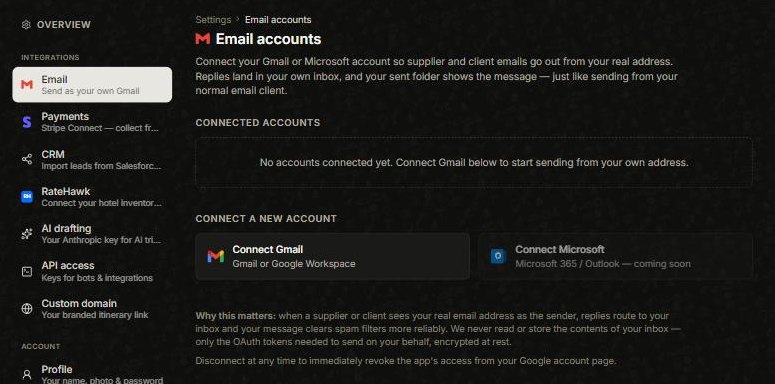
Deer Track can send supplier and client emails as you — from your real address, not a generic one. Replies land in your normal inbox and the sent copy shows up in your sent folder, just like emailing by hand.
Connect Gmail
Open the avatar menu → Settings → Email and choose Connect Gmail. You’ll sign in with Google and approve the connection. Each person on your team connects their own account, and you can disconnect at any time.
Why it’s worth it
When a supplier or client sees your real address as the sender, replies route straight back to you and your message clears spam filters more reliably. Deer Track never reads or stores your inbox — only the token needed to send on your behalf, encrypted at rest.
Good to know
- Microsoft / Outlook is coming soon; Gmail is the one to connect today.
- If the Connect Gmailbutton isn’t active yet, email sending is still being switched on for your account — everything else in Deer Track works in the meantime, and messages fall back to a system sender until you connect.
Did this answer it?
If not, a real human reads every email.