
Sharing your itinerary & what the client sees
When a trip is ready, Deer Track turns it into a branded itineraryyour client opens in their browser — no PDF attachments to chase, and it always shows the latest version. Here’s what happens on both sides:
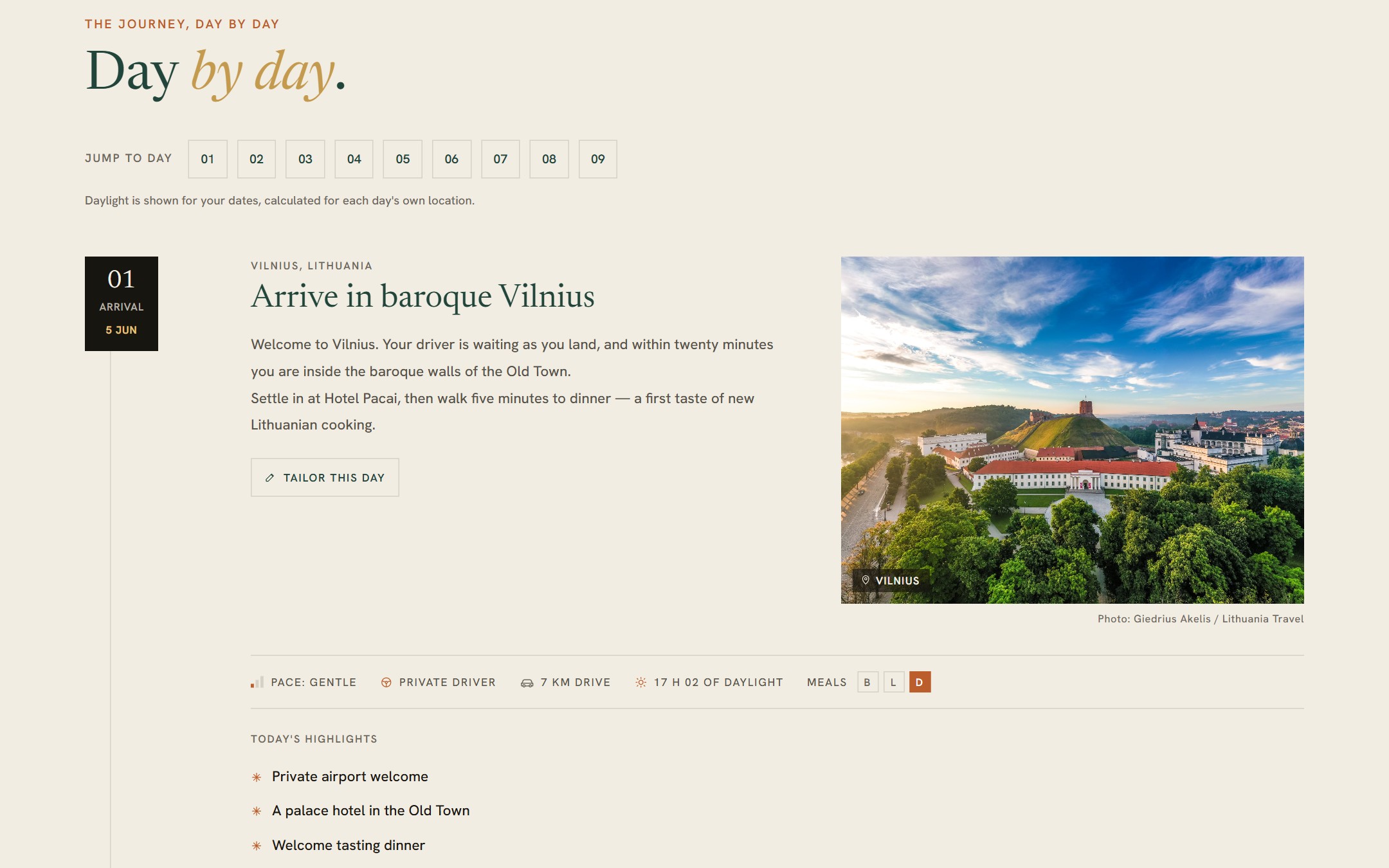
01What your client opens
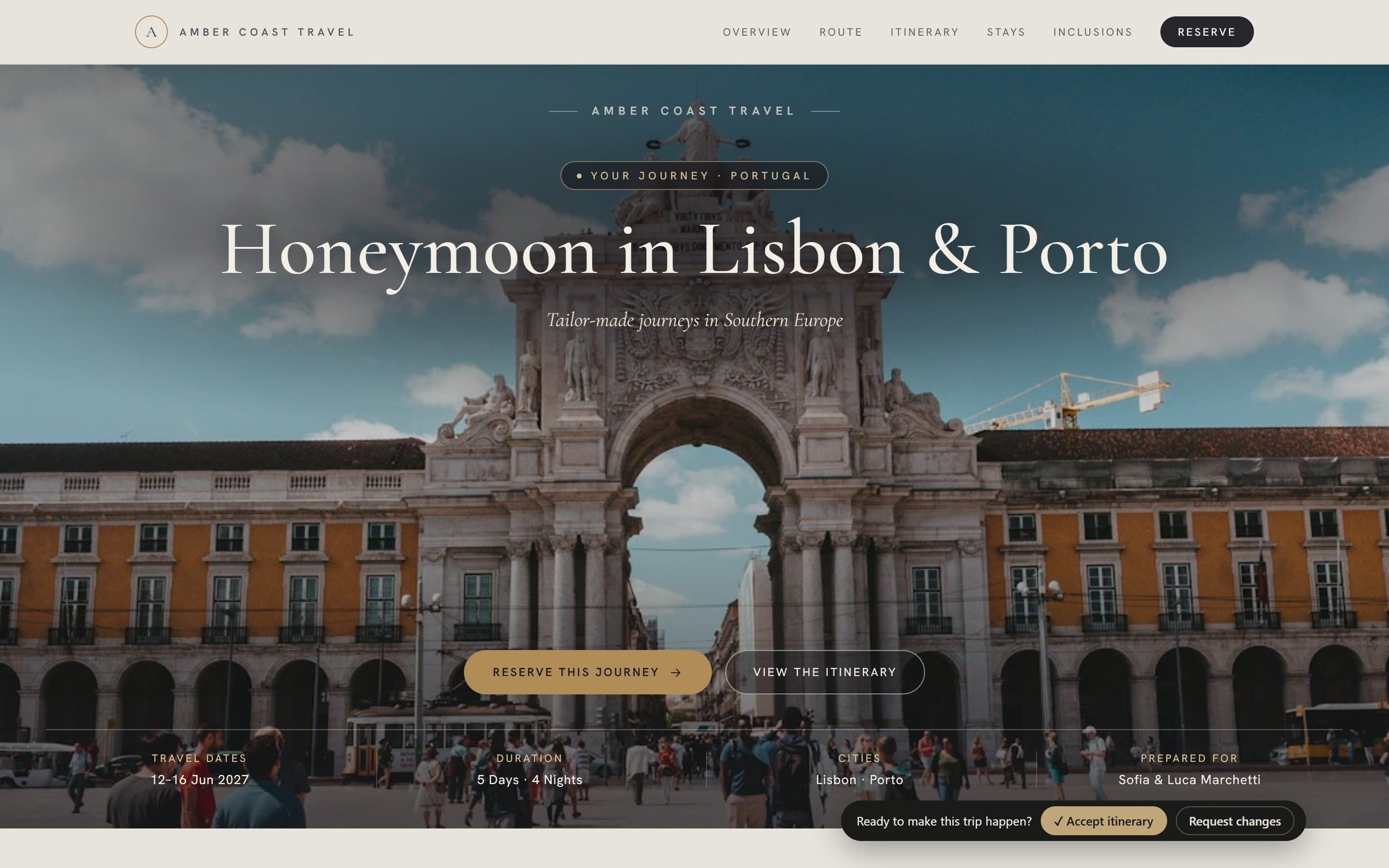
A branded web itinerary in your chosen design — here Modern — with your agency name, their dates and the whole trip.
- What your client opens: A branded web itinerary in your chosen design — here Modern — with your agency name, their dates and the whole trip.
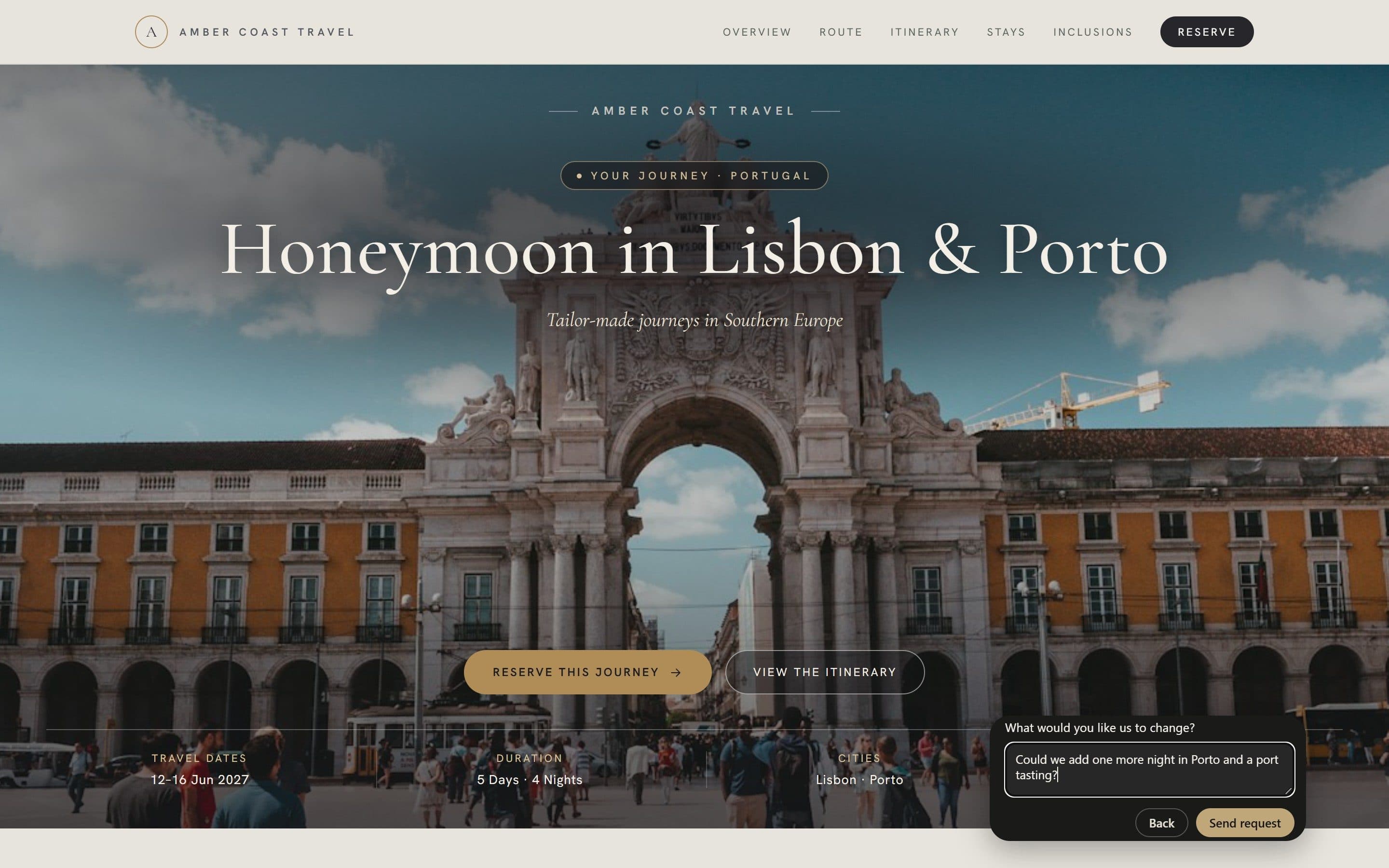
- One clear next step: “Ready to make this trip happen?” The client taps ✓ Accept itinerary or Request changes — no email ping-pong.
- Changes, in their own words: A short note goes straight to you. Either answer is emailed to the trip's owner and logged on the deal.
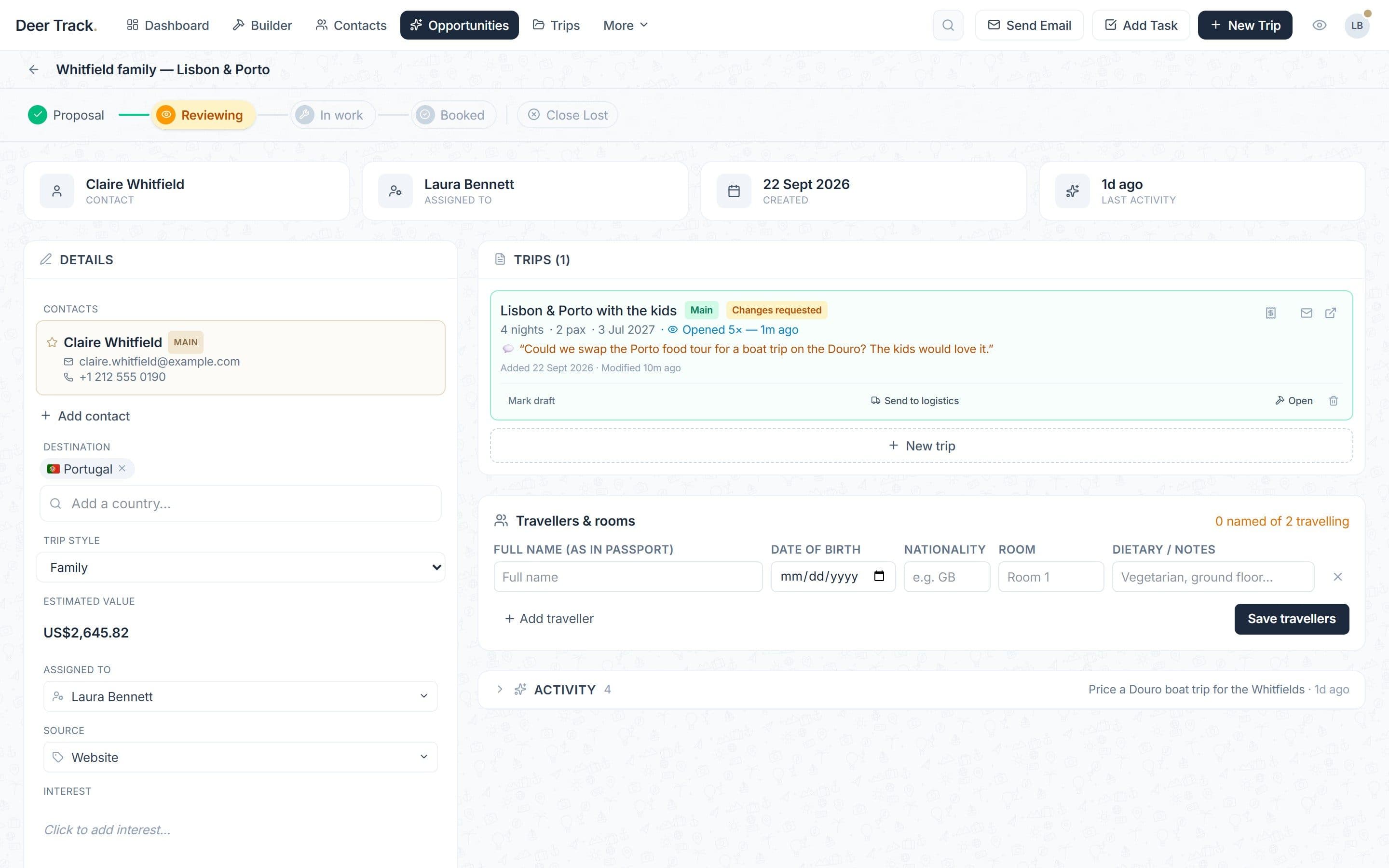
- You see the reply on the deal: The trip shows Changes requested with the client's comment, how many times they opened it and when. The stage stays yours to move.
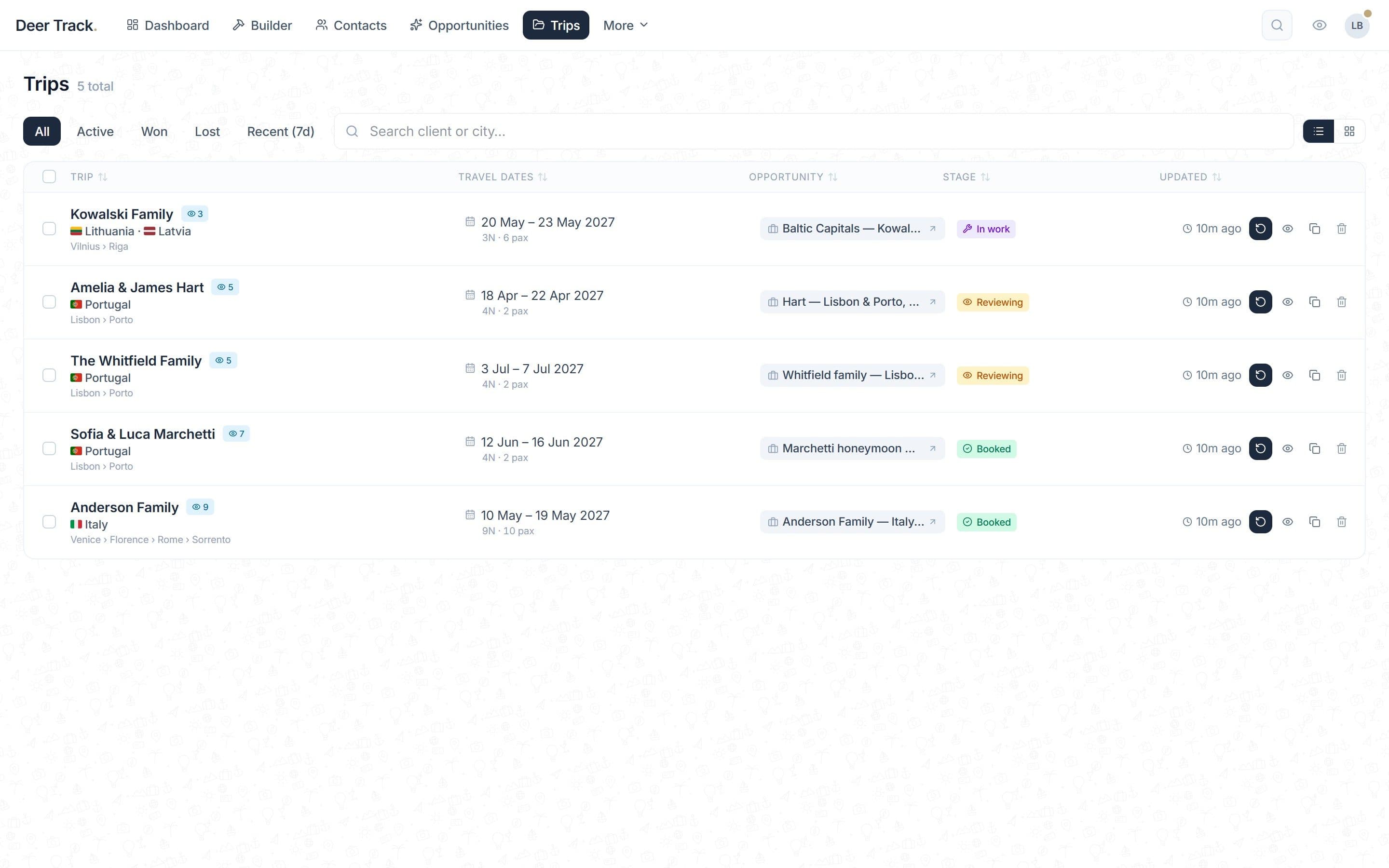
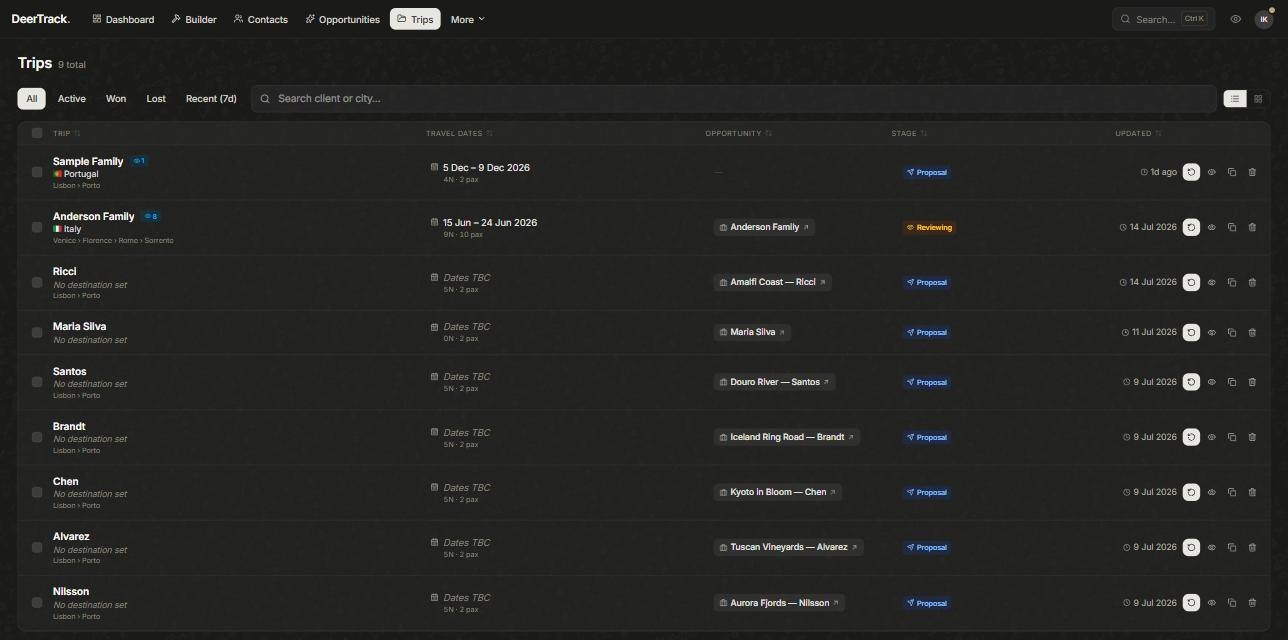
- Every trip, with its opens: The Trips list shows each trip's dates, deal and stage — and an eye count of how often the client opened it.
Preview it first
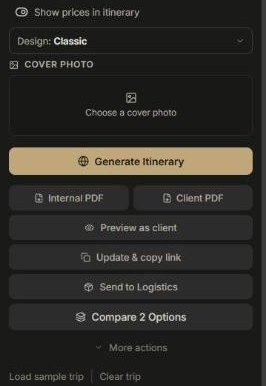
Hit Preview as clientto open the itinerary in a new tab exactly as they’ll see it — nothing is saved or shared, so it’s safe to check as often as you like.
Generate & share the link
When it looks right, click Generate Itinerary to publish the client page, then Copy Share Link and send it however you like. If you edit the trip afterwards the button becomes Update & copy link, so the client always has the current version at the same address.
Show or hide prices, pick a look
The Show prices in itinerary toggle controls whether the client sees pricing, and the Design picker (Classic, Classic Refined, Modern, Estate) sets the style. Prefer a document? Client PDF is the client-safe version; Internal PDF includes your costs and is for you.
What your client can do
On the itinerary they can browse the day-by-day plan and photo galleries, open the map, and download a PDF. At the bottom they answer Ready to make this trip happen? with ✓ Accept itinerary or Request changes(a short note to you). Either answer is emailed to the trip’s owner, logged on the deal and shown as a badge — the deal stage doesn’t change on its own, so the next step is always yours.
Want them to pay straight from the itinerary? With your own Stripe account connected, click the card icon on the trip in the deal (Create a card payment link), choose the full price or a deposit, and the itinerary shows Pay now & secure this trip. When they pay, the trip is marked Paid. For a deposit and a balance due later, send an invoice instead.
Track opens & revoke
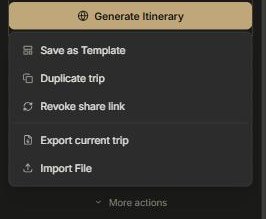
Every open is counted. The first time the client opens it, you get an email; after that the deal shows Opened N× with when, and the Tripslist shows an eye count. When the client opens the deal’s main trip, a deal still in Proposal moves to Reviewing on its own — the only stage change Deer Track makes for you. Need to pull a link? Revoke share link under More actions makes the old address stop working.
Changed the trip after sharing?
The Builder warns you that the client’s link still shows the older version, and the deal shows Share link outdated. Click Update & copy link and the same address shows the new version.
After booking: the final itinerary
Once every service is confirmed in Logistics, the booking team clicks Mark DONE & publish. That creates a separate final itinerary — a confirmation without prices or the accept bar — with its own link (Copy final link) to send the client before they travel.
Did this answer it?
If not, a real human reads every email.