
Setting up your service library
Everything you drop into a trip comes from your service library. A Provider is a company you book through — a DMC, hotel, transfer company or guide — and each provider has services, the individual items you sell (a tour, a hotel night, an airport transfer). Set these up once and building trips gets fast.
Add a provider
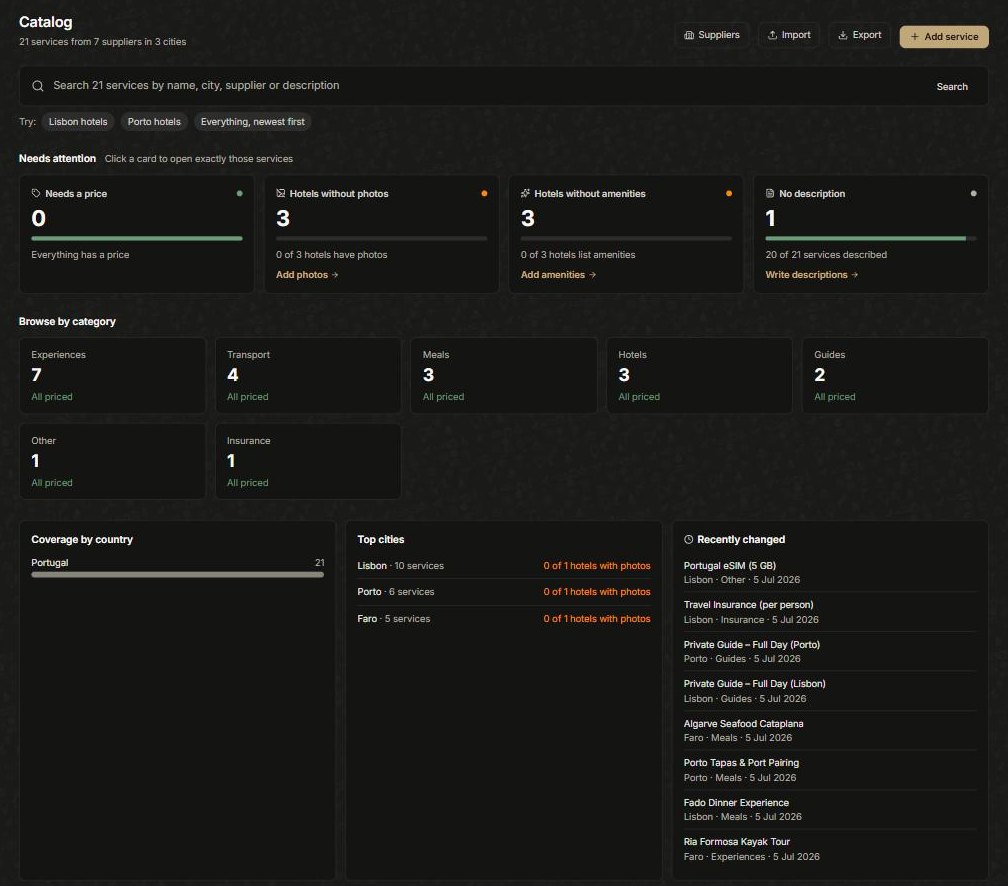
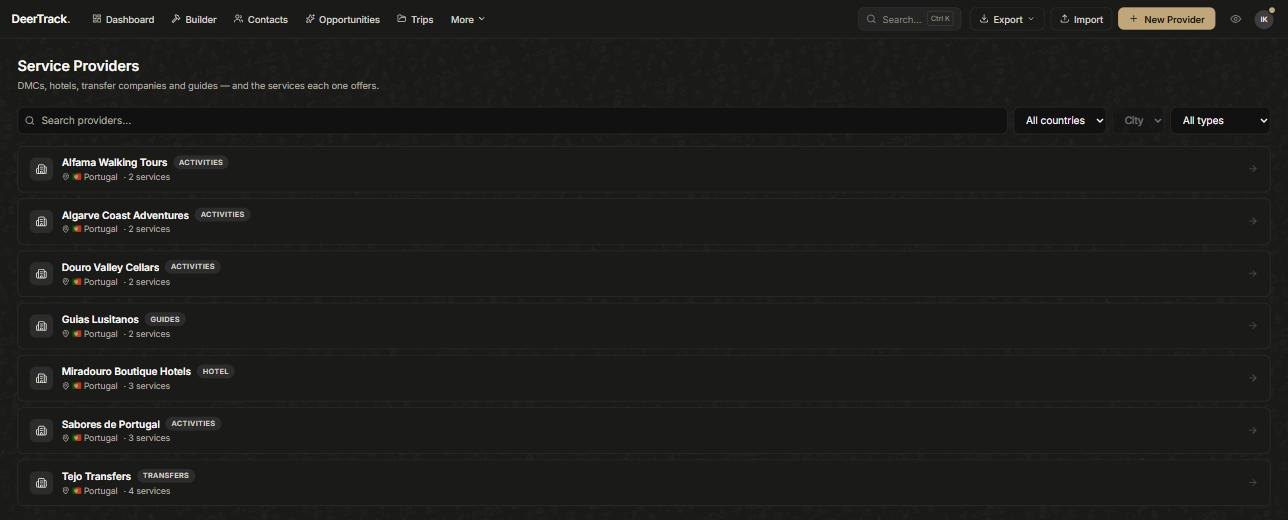
Open Catalog (under More) — it shows your whole library at a glance and flags gaps like missing prices or hotel photos. Click Suppliers, then New Provider. Give it a name and its contact details — you’ll use these later when you email them a booking request.
Add services to it
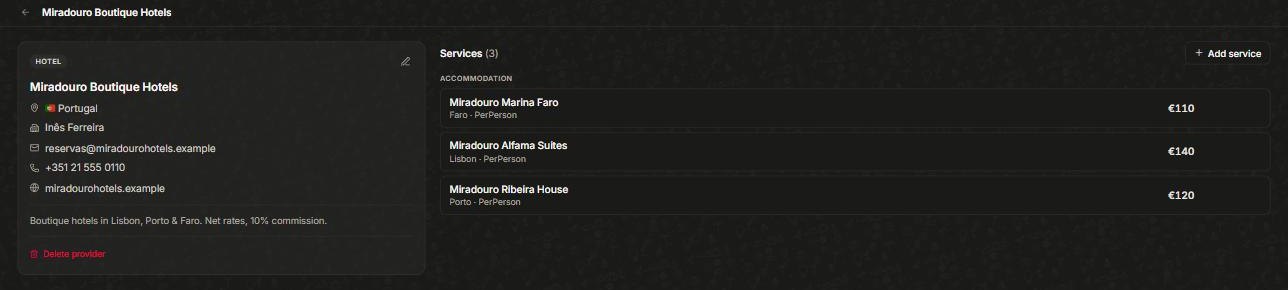
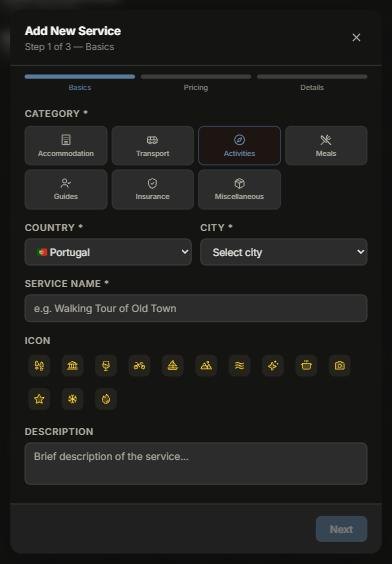
Open a provider and click Add service. A short three-step wizard walks you through it:
- Basics — pick a Category (Accommodation, Transport, Activities, Meals, Guides, Insurance or Miscellaneous), the Country and City, a Service name, an icon and an optional description. For a hotel you can paste a Booking.com or Expedia link to prefill its name, address, stars and photos (never the price).
- Pricing— the cost, the currency, and whether it’s priced per person or as a flat amount.
- Details — anything extra worth keeping on the service.
Custom rates per trip
Negotiated a one-off rate for a particular trip? In the Builder you can set a custom rate for a service on that trip only — your library price stays untouched for everything else.
Two shortcuts
A brand-new workspace can load a starter catalog from the dashboard checklist, so you begin with a set of common services instead of a blank library. And to move a whole supplier rate sheet in at once, see Importing your data.
Did this answer it?
If not, a real human reads every email.