
How Deer Track works
Deer Track follows a trip from the first enquiry to the last supplier confirmation. Everything happens in one workspace, so nothing is retyped between sales, pricing, the client and operations. Here’s the whole journey:

011 · The enquiry becomes a deal
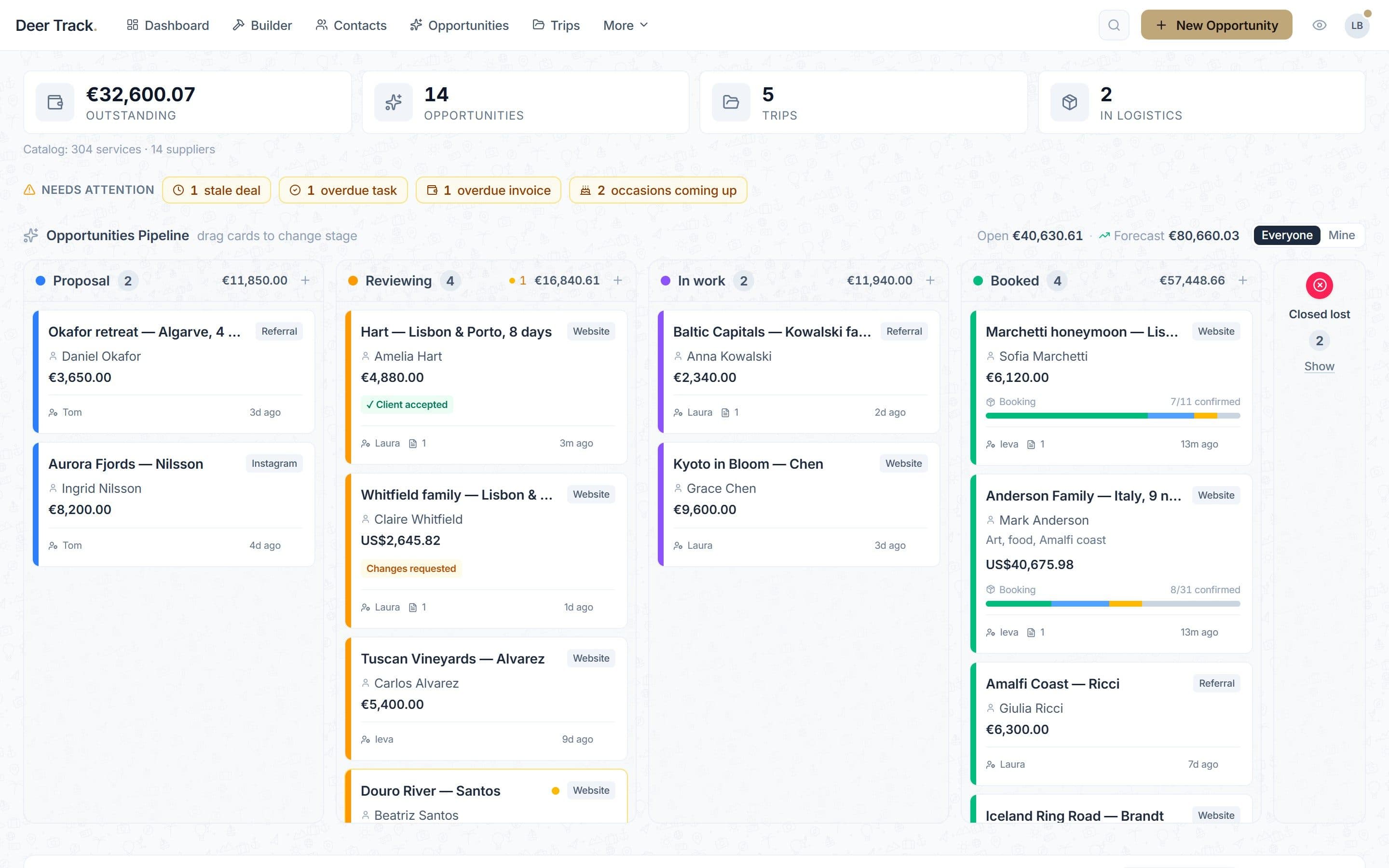
Every lead is a card on your pipeline — with the contact, value and what needs doing next.
- 1 · The enquiry becomes a deal: Every lead is a card on your pipeline — with the contact, value and what needs doing next.
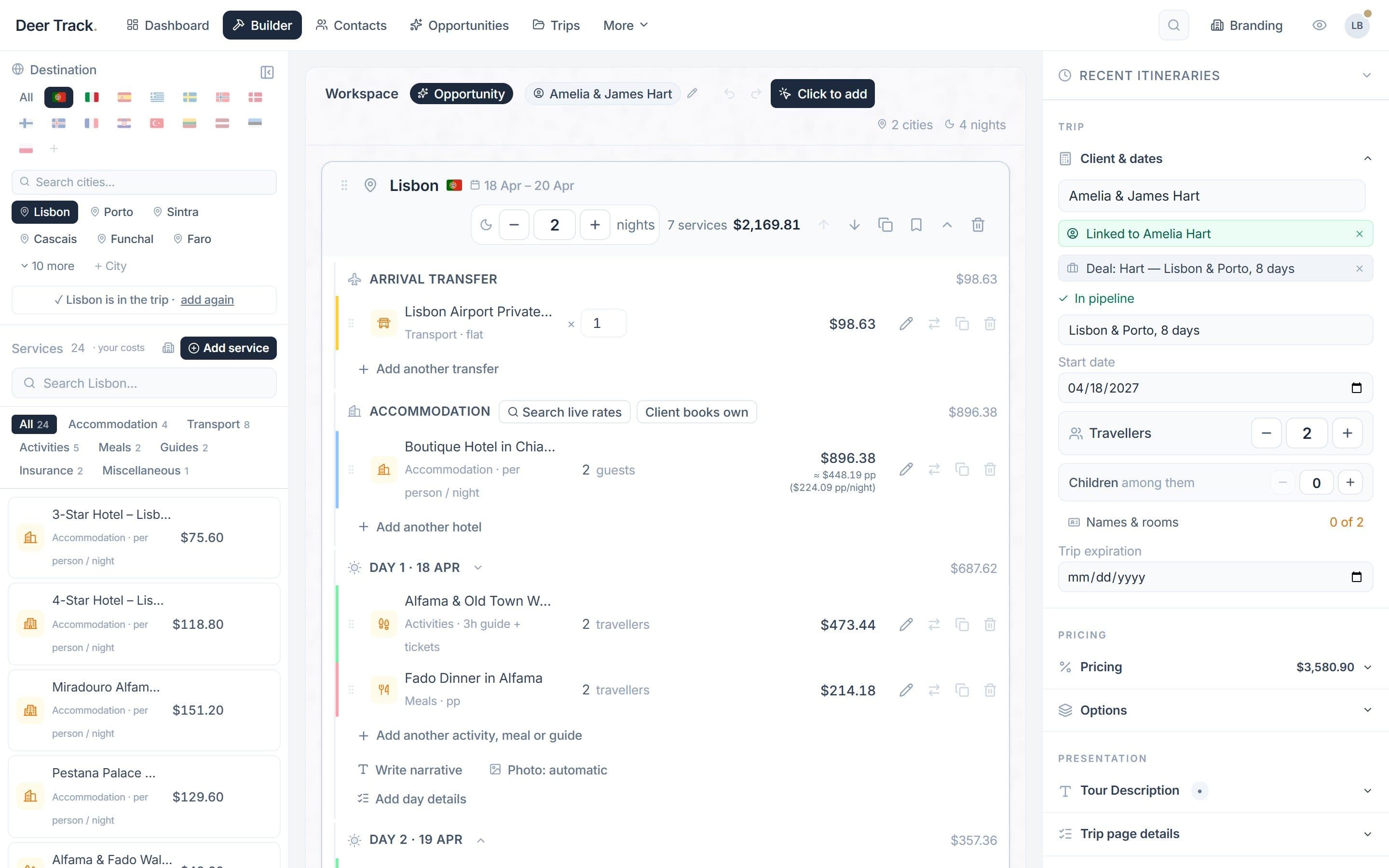
- 2 · Build the trip from your catalog: City by city, day by day, from your own hotels, guides, transfers and activities — priced as you add them.
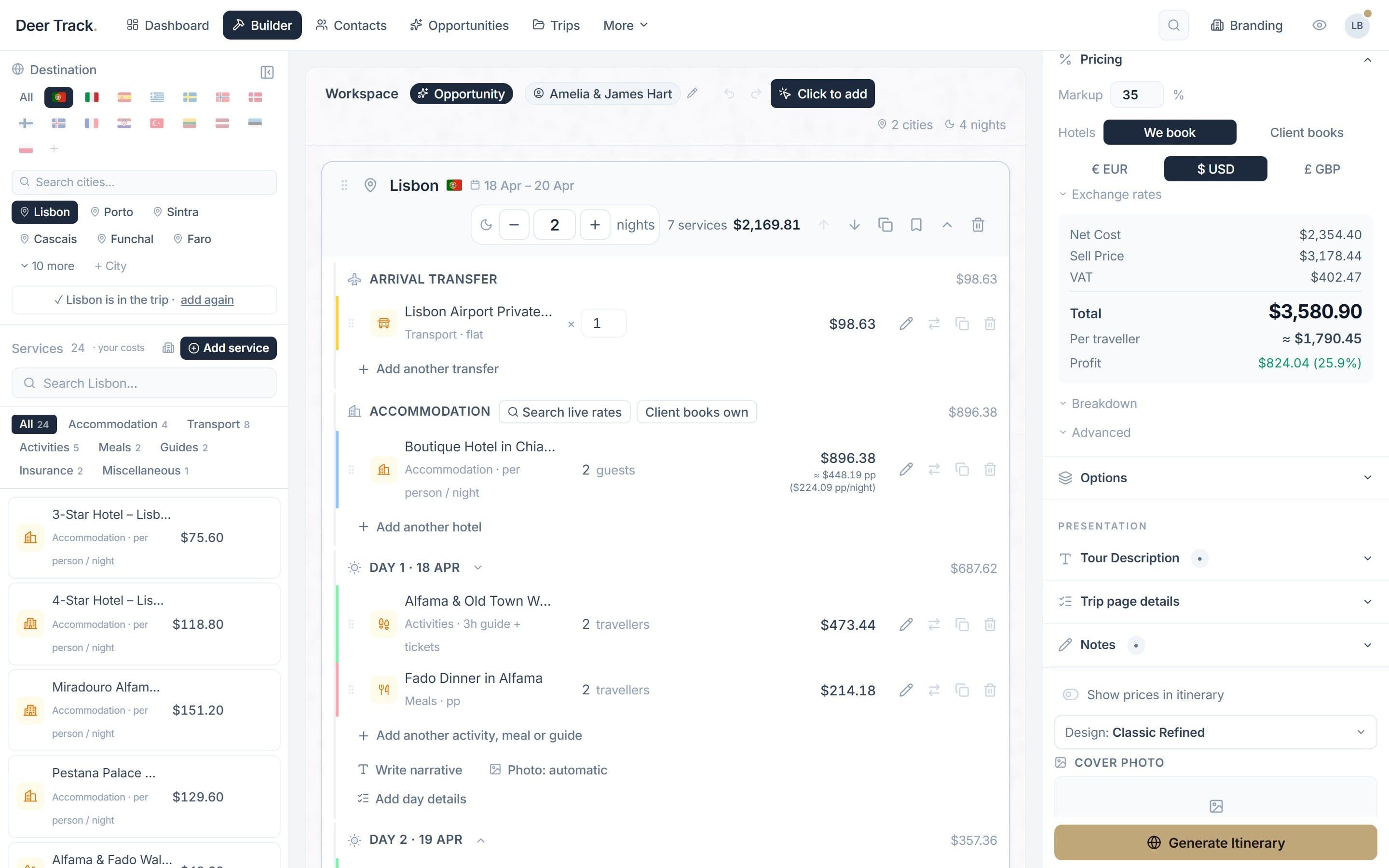
- 3 · Price it with confidence: Markup or margin, currency, VAT — and the profit and per-traveller price before you send anything.
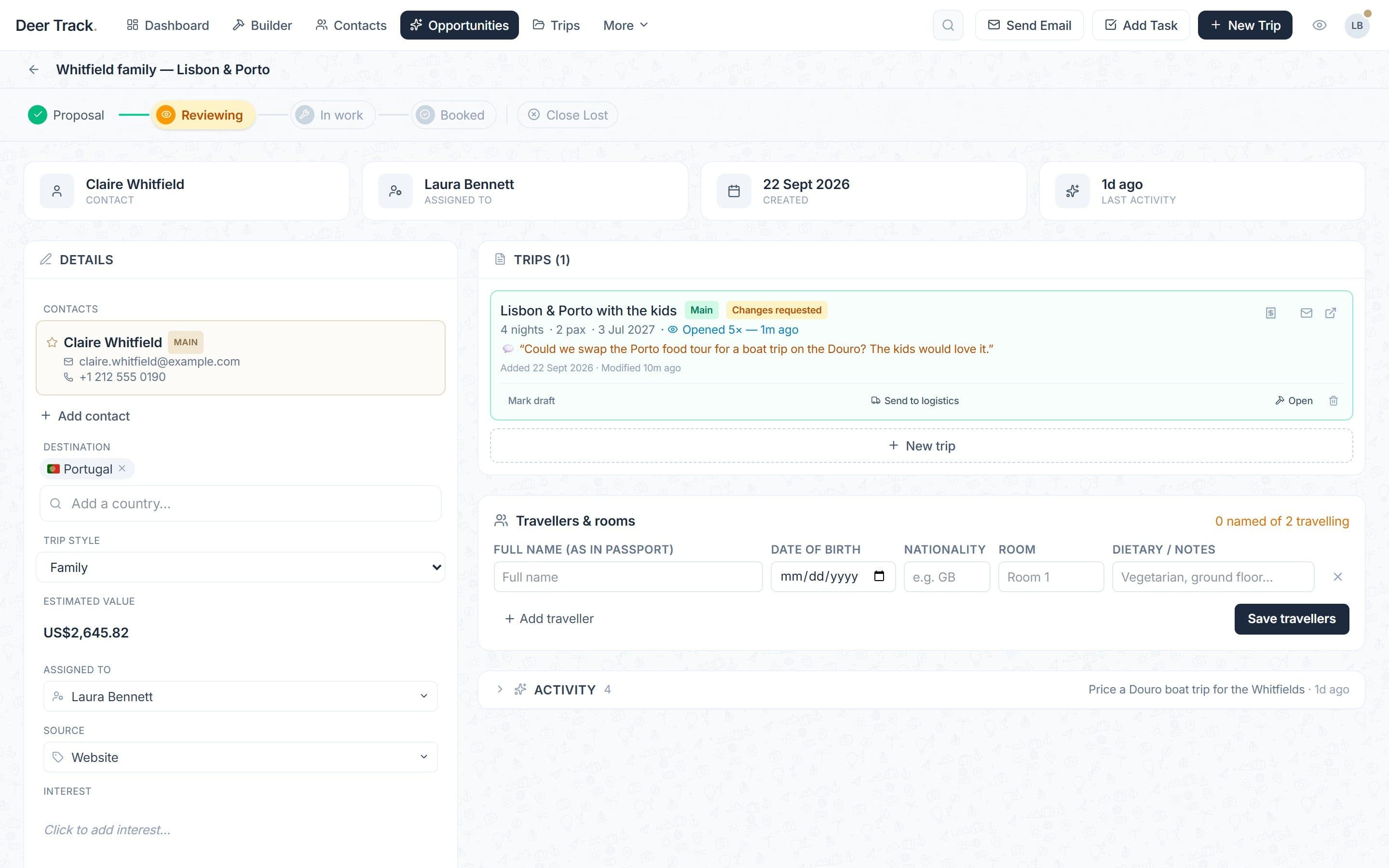
- 4 · Send one branded link: The client opens a designed itinerary on any device and answers with ✓ Accept itinerary or Request changes.
- 5 · You see their answer: Opens, acceptance and change requests land on the deal and in your inbox.
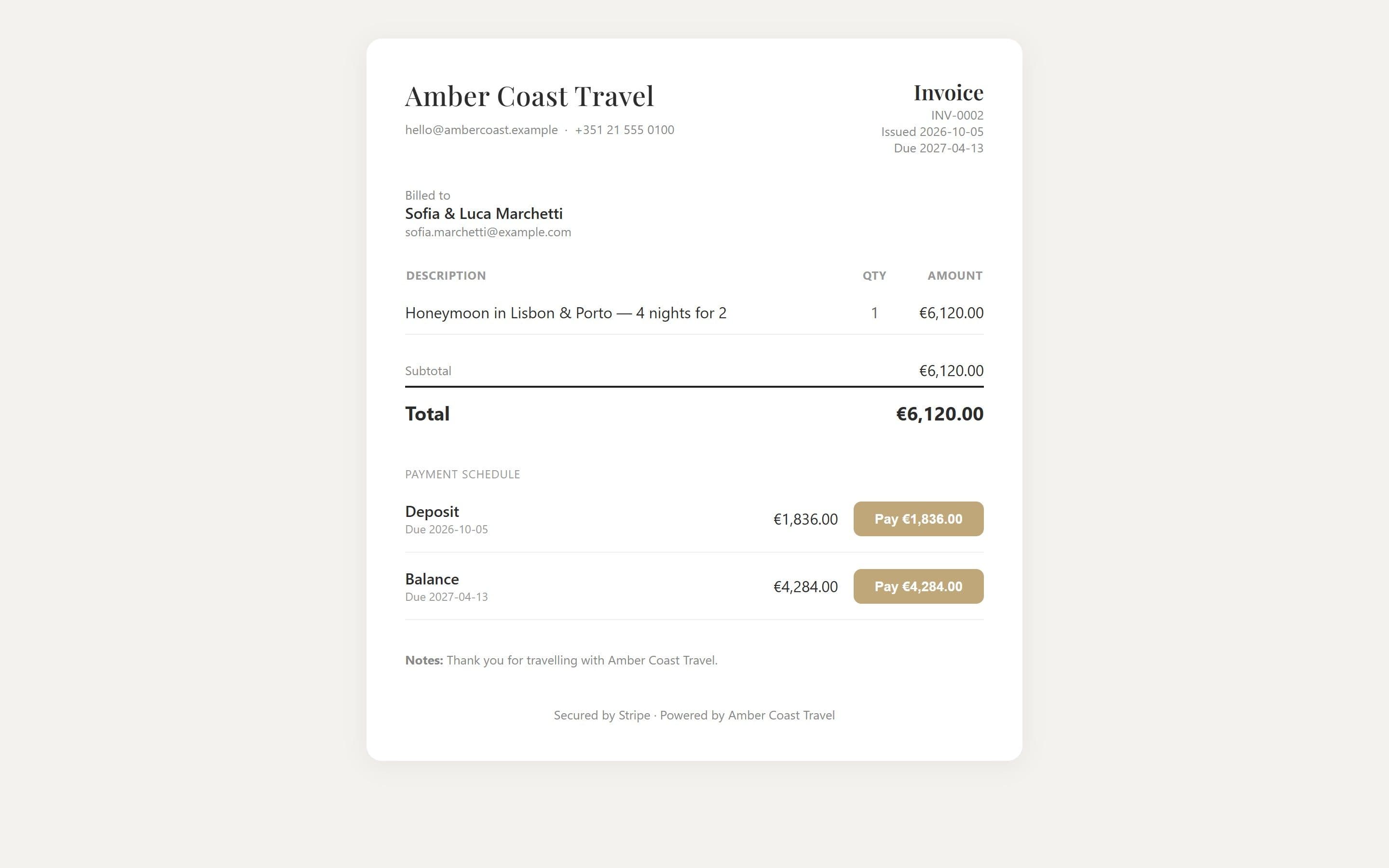
- 6 · Take the deposit: Send an invoice with a deposit and balance — or a one-off card payment link. The client pays online, or you record a bank transfer.
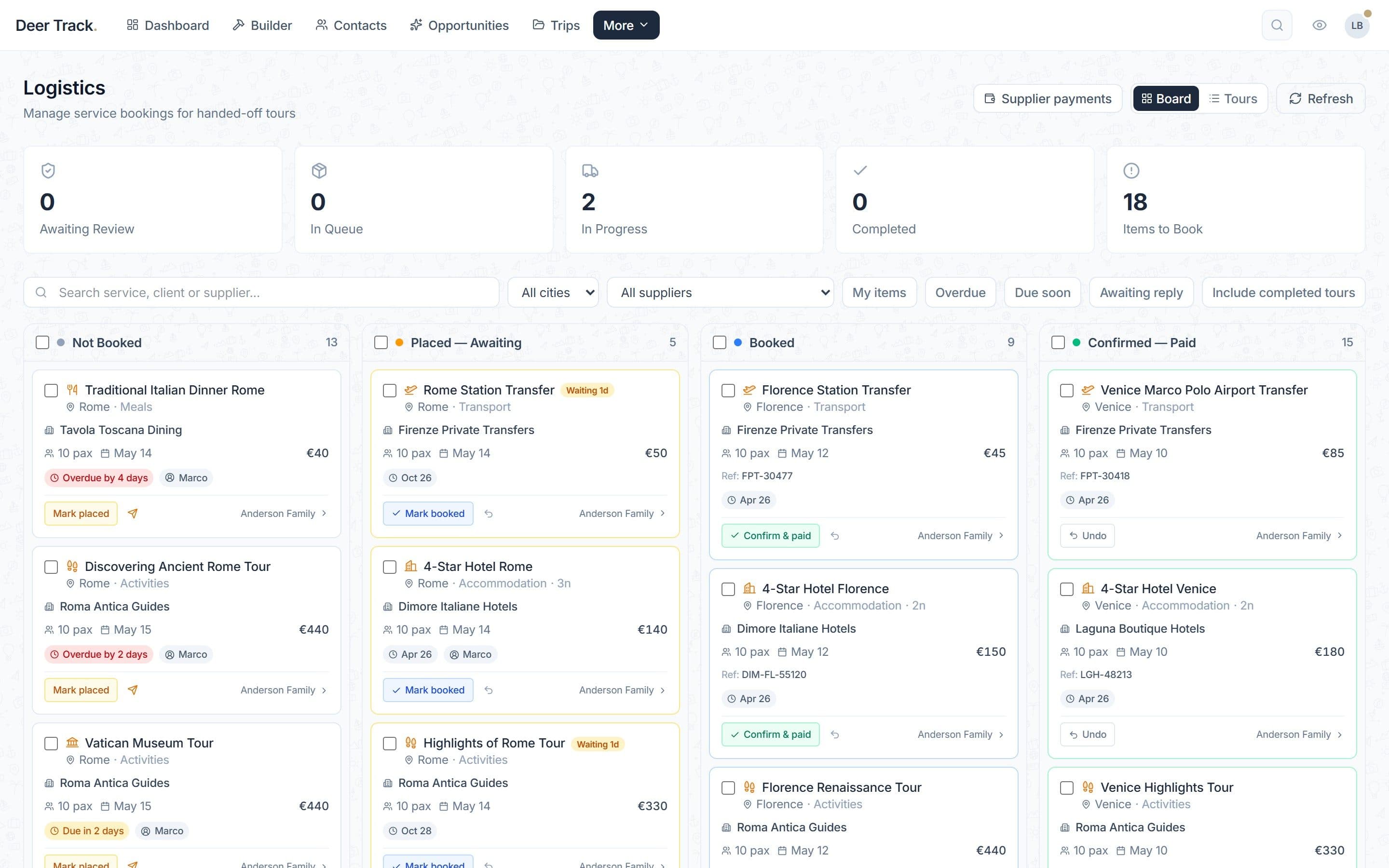
- 7 · Book every supplier: The booked trip moves to Logistics, where each hotel, guide and transfer is tracked until it's confirmed.
1. The enquiry becomes a deal
Every enquiry is an opportunity on your pipeline — Proposal, Reviewing, In work, Booked. The dashboard shows what needs you today: stale deals, overdue tasks and invoices. More on the pipeline.
2. Build the trip from your catalog
In the Builder you lay the trip out city by city and day by day from your own hotels, guides, transfers and activities — or let Draft with AImake a first version from the client’s email. Building your itinerary walks through it.
3. Price it with confidence
The trip prices itself as you build: markup or margin, VAT, currency, per-traveller price and your profit, live. Pricing explained.
4. Send one branded link
Generate the itinerary in one of four designs and send the link. The client answers with ✓ Accept itinerary or Request changes, and you see every open. Sharing your itinerary.
5. Take the deposit
An invoice with a deposit and balance goes out with a pay link; the client pays by card through your Stripe account, or you record a bank transfer. Invoices & payments.
6. Book every supplier
The booked trip moves to Logistics, where every hotel, guide and transfer is requested, chased and confirmed — and the final itinerary goes to the client. The booking workflow.
Did this answer it?
If not, a real human reads every email.